Use a platform
Explore existing software for your operation and define the capabilities, integrations and rollout you need.
Request a platform demo ↗

Enterprise software. Applied AI. Connected operations.
Adopt a purpose-built platform, commission a connected system,
or explore a strategic partnership.
Follow a fresh Dispatch Agent check through a carrier recommendation, human approval and the resulting order update.
Recorded in a synthetic demo workspace. Waiting time is condensed. This example shows an internal carrier assignment; carrier acceptance remains a separate step.
See this workflow in your operation ↗Choose the relationship that fits your next move. We’ll start with the operational need and define a practical next step.
Explore existing software for your operation and define the capabilities, integrations and rollout you need.
Request a platform demo ↗Commission software, integrations or applied AI around a specific business workflow.
Discuss a project ↗Explore a commercial relationship, joint solution or joint venture around a defined opportunity.
Explore a partnership ↗Discuss the portfolio, shared technology foundation and current investment materials.
Start an investment conversation ↗We build the software people rely on to coordinate work, make decisions, and run complex organizations.
Operational platforms, customer portals, integrations, and systems of record.
02Knowledge retrieval, task automation, decision support, and agent orchestration.
03Shared architecture, data integration, deployment, monitoring, and application support.
From Stratus OS (In Development) and Inbox OS to Physis Peptides, explore software built by Prevayl Technologies for operations, communications, and digital commerce.
Built by Prevayl Technologies, Inbox OS brings email, SMS, and internal conversations into a shared interface, with open, snoozed, and resolved queues and an embedded website chat channel.
Request a walkthrough ↗Email, text messages, and internal follow-up can scatter context across a team.
One conversation workspace with assignment, status queues, internal notes, and AI assistance.
THE WORKFLOWReceive → Assign → Collaborate → Resolve
Built by Prevayl Technologies, Physis Peptides combines a research-compound storefront with an education library, compound reference pages, structured learning, and a personal research workspace.
Request a walkthrough ↗Visitors need a clear path from scientific questions to sources, research tools, and compound information.
An education library, research workspace, and storefront connected through one digital experience.
THE WORKFLOWExplore → Learn → Organize research → Browse the catalog
A connected operating system for vehicle logistics, bringing dispatch, carrier operations, inspections, and financial workflows into one environment.
Request a walkthrough ↗An EMS platform connecting dispatch, field documentation, clinical review, and operational reporting.
Request a walkthrough ↗Municipal workflows spanning citizen requests, departmental routing, procurement, permits, and service delivery.
Request a walkthrough ↗Built by Prevayl Technologies, Stratus OS (In Development) connects construction command, house-level material requirements, warehouse stock, receiving, issuing, and delivery in one operational workspace.
Request a walkthrough ↗Construction teams need to connect what a house requires with what the warehouse can supply.
A shared workspace for construction command, material requirements, receiving, issuing, and dispatch.
THE WORKFLOWPlan demand → Check stock → Receive & issue → Deliver
Intelligence is more useful when it shares a foundation with your applications, data, and controls.
Connect AI to the documents, records, and workflows that matter. Retrieval and role-aware tools turn a general model into a useful part of the operation.
Specialized agents support engineering, review, and operations. A shared orchestration layer keeps work connected, with explicit boundaries and human oversight.
Explore the agent systems ↗Explore the operational problem, the application and the connected workflow behind three Prevayl Technologies platforms.
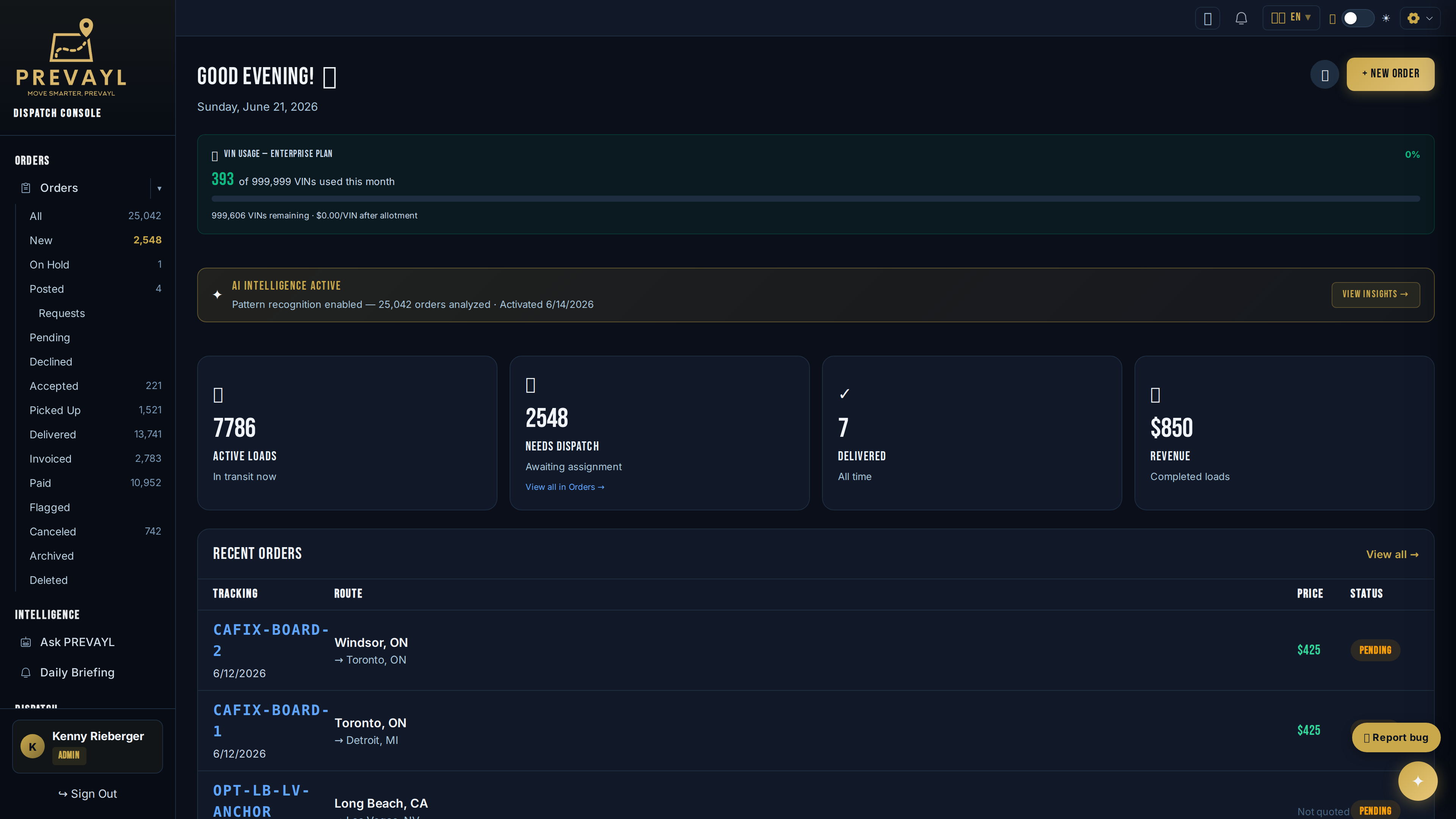
A connected workspace for the decisions, handoffs and financial records behind vehicle transport.
Explore the project ↗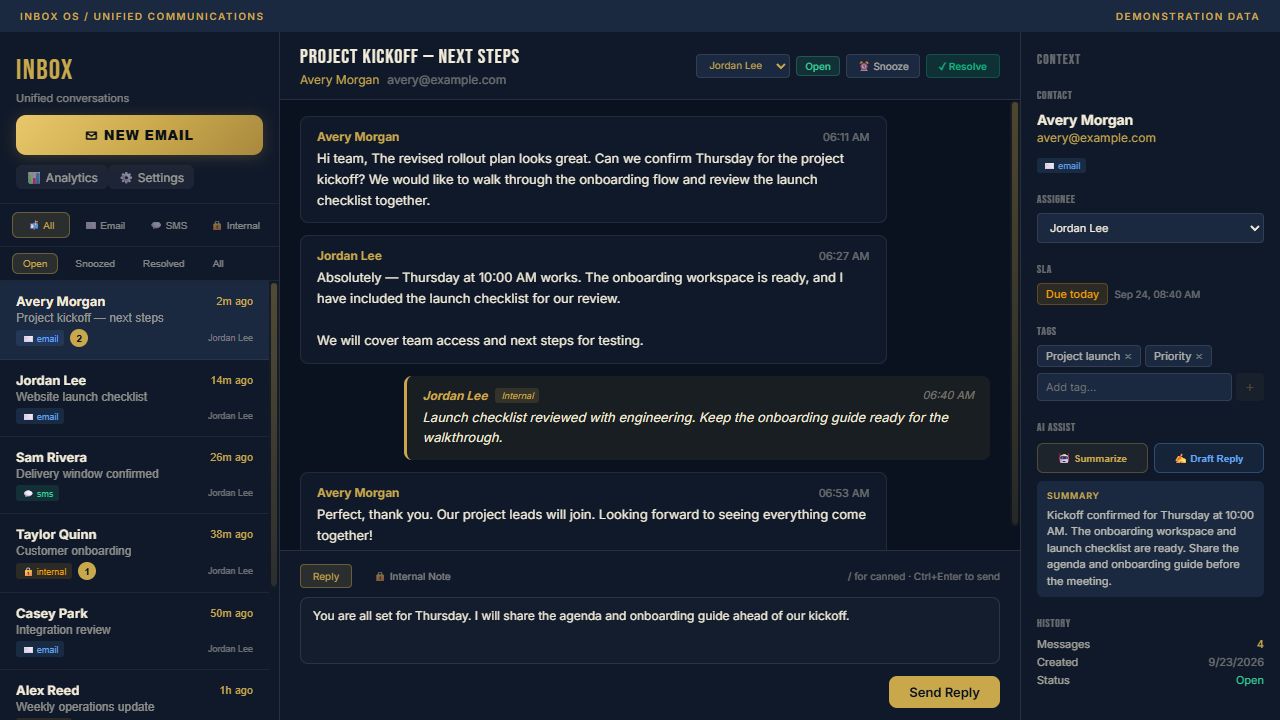
A shared workspace for the messages, people and next steps behind an operation.
Explore the project ↗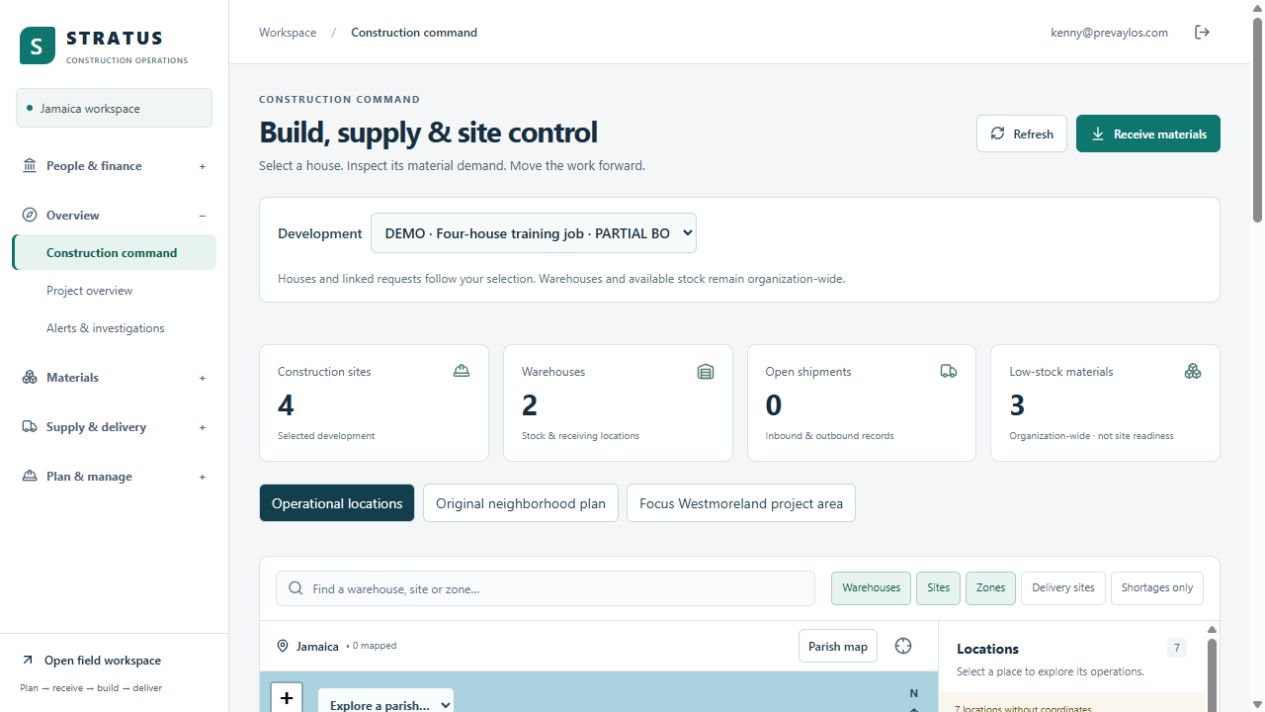
Construction command, house-level material requirements and warehouse activity in one operational workspace.
Explore the project ↗Explore discovery, integration, pilot, rollout and ongoing improvement—with a deliverable at each step.
Explore the roadmap ↗02 / TECHNICAL REVIEWReview data access, AI approval points, hosting requirements and operational responsibilities.
Explore security & controls ↗Bring us the operational challenge.
We’ll help define the system behind the solution.